

Requirements
Windows 11
Windows 11 (64-bit) is required. Windows Server 2022/2025 also supported.
Required
NVIDIA GPU with CUDA 13 support
Requires an NVIDIA GPU supported by CUDA 13 (RTX 20-series or newer recommended). The installer auto-detects your GPU and falls back to cu124 wheels if CUDA 13 wheels are not yet available for your card.
Required
Administrator privileges
The script must be run as Administrator to install services, open firewall rules, and write to program directories.
Required
What it does
Zero-prerequisite setup
Installs Git and Visual C++ Runtime via winget if missing — no manual prep required.
Self-contained Python
Installs Python 3.11 in an isolated directory — your system Python is never touched.
Auto CUDA detection
Detects your NVIDIA GPU and installs PyTorch with CUDA 13.0 wheels; falls back to cu124 if 13.0 wheels are not yet published.
Runs as a Windows service
Registers ComfyUI as an auto-start service via NSSM on port 8188 with rotating log files.
Firewall & shortcut
Opens the inbound firewall rule for port 8188 and creates a desktop shortcut pointing to your LAN IP.
Server-ready hosting
Designed to run on a dedicated Windows server — auto-starts on boot, survives reboots, and exposes ComfyUI across your local network.
What gets installed
📁
ComfyUI
Cloned from GitHub into [Drive]:\Ollamafy\ComfyUI with all standard model subdirectories created
github.com/comfyanonymous
🐍
Python 3.11.9 (embeddable)
Installed inside [Drive]:\Ollamafy\ComfyUI\python — fully isolated from any system Python
self-contained
🔥
PyTorch + CUDA 13.0
Installed into a venv at [Drive]:\Ollamafy\ComfyUI\venv; falls back to cu124 if cu130 wheels aren't published yet
NVIDIA GPU auto-detected
🔧
NSSM — Windows service manager
Downloaded and used to register ComfyUI as an auto-start service; installed to [Drive]:\Ollamafy\nssm
nssm.cc
Screenshot
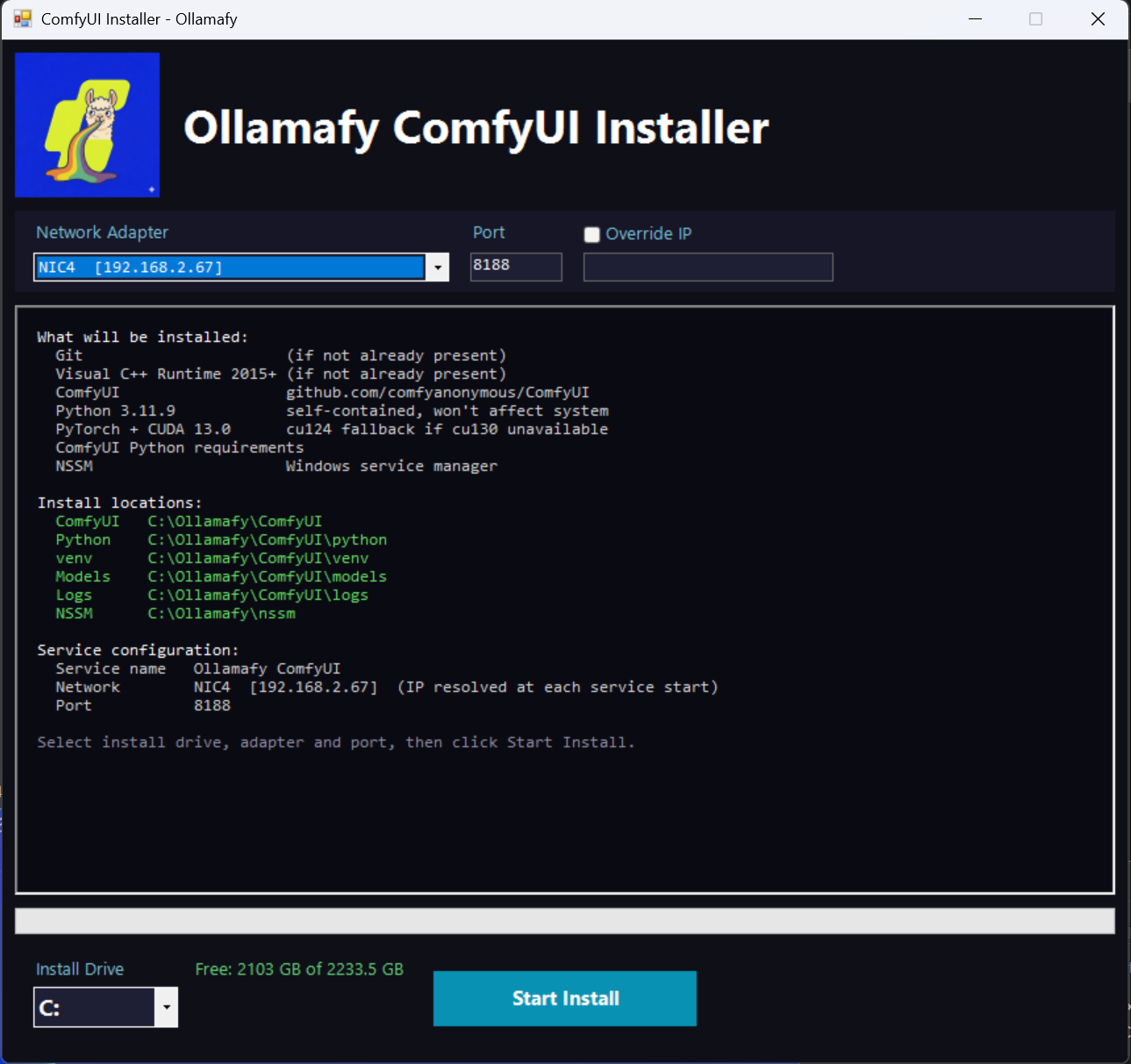

About ComfyUI
🙏
ComfyUI was created by comfyanonymous — the powerful, node-based Stable Diffusion interface that makes everything here possible. If you want the official installer or prefer to set up ComfyUI directly from the source, visit the official site.
comfy.org — Official ComfyUI installer & downloadsDownload the Installer
Run it once as Administrator and ComfyUI is fully installed and running as a Windows service.
Download Installer Download Source How-to installation guide