

Requirements
Windows 10 / 11 or Windows Server
64-bit Windows required. Windows Server 2019, 2022, and 2025 are fully supported.
Required
Administrator privileges
Required to install Windows services, configure firewall rules, set system environment variables, and write to the selected drive.
Required
NVIDIA GPU — Compute Capability 5.0+ (driver 531+)
Ollama requires compute capability 5.0 or higher (Maxwell / GTX 700-series or newer) and driver version 531 or newer. Multiple GPUs can be targeted via
Recommended
CUDA_VISIBLE_DEVICES.
AMD GPU — Vulkan (Windows)
Ollama uses Vulkan for AMD GPU acceleration on Windows. Not all AMD GPUs are supported.
Recommended
CPU — Fallback inference
If no compatible GPU is detected, Ollama falls back to CPU-only inference.
Optional
What it does
Drive & port selection
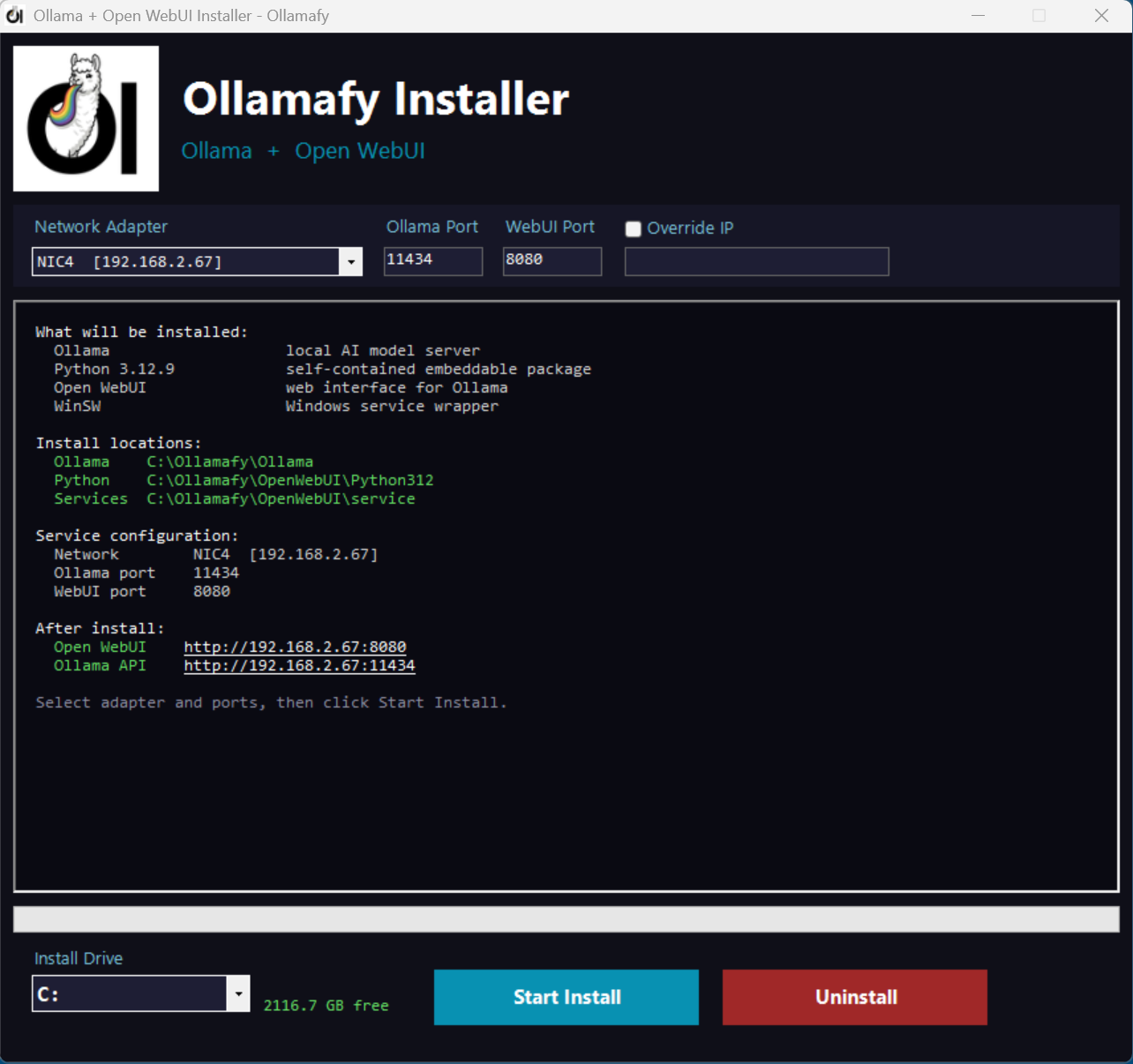
Choose any fixed drive for installation, set Ollama and Open WebUI ports, and pick your network adapter — all before clicking Install.
Fully silent install
Downloads and installs every component silently with no pop-up windows. Real-time download progress and live log output keep you informed.
Runs as Windows services
Ollama and Open WebUI are registered as auto-start services via WinSW — they survive reboots and start without any user logged in.
One-click uninstall
The built-in Uninstall button stops services, removes environment variables, cleans the registry, and deletes only the folders this installer created.
What gets installed
🦙
Ollama
Local AI model server installed to [Drive]:\Ollamafy\Ollama — serves models via a REST API on your chosen port
ollama.com
🐍
Python 3.12.9 (embeddable)
Self-contained Python installed to [Drive]:\Ollamafy\OpenWebUI\Python312 — your system Python is never modified
self-contained
🌐
Open WebUI
Full-featured web interface for Ollama, installed via pip and served on your chosen port — accessible from any device on your network
openwebui.com
🔧
WinSW — Windows service wrapper
Wraps both Ollama and Open WebUI as proper Windows services with rolling log files; installed to [Drive]:\Ollamafy\OpenWebUI\service
winsw.github.io
Screenshot


Download the Installer
Run as Administrator, configure your options, and click Install. Ollama and Open WebUI will be running as services within minutes.
Download Installer Download Source How-to installation guide